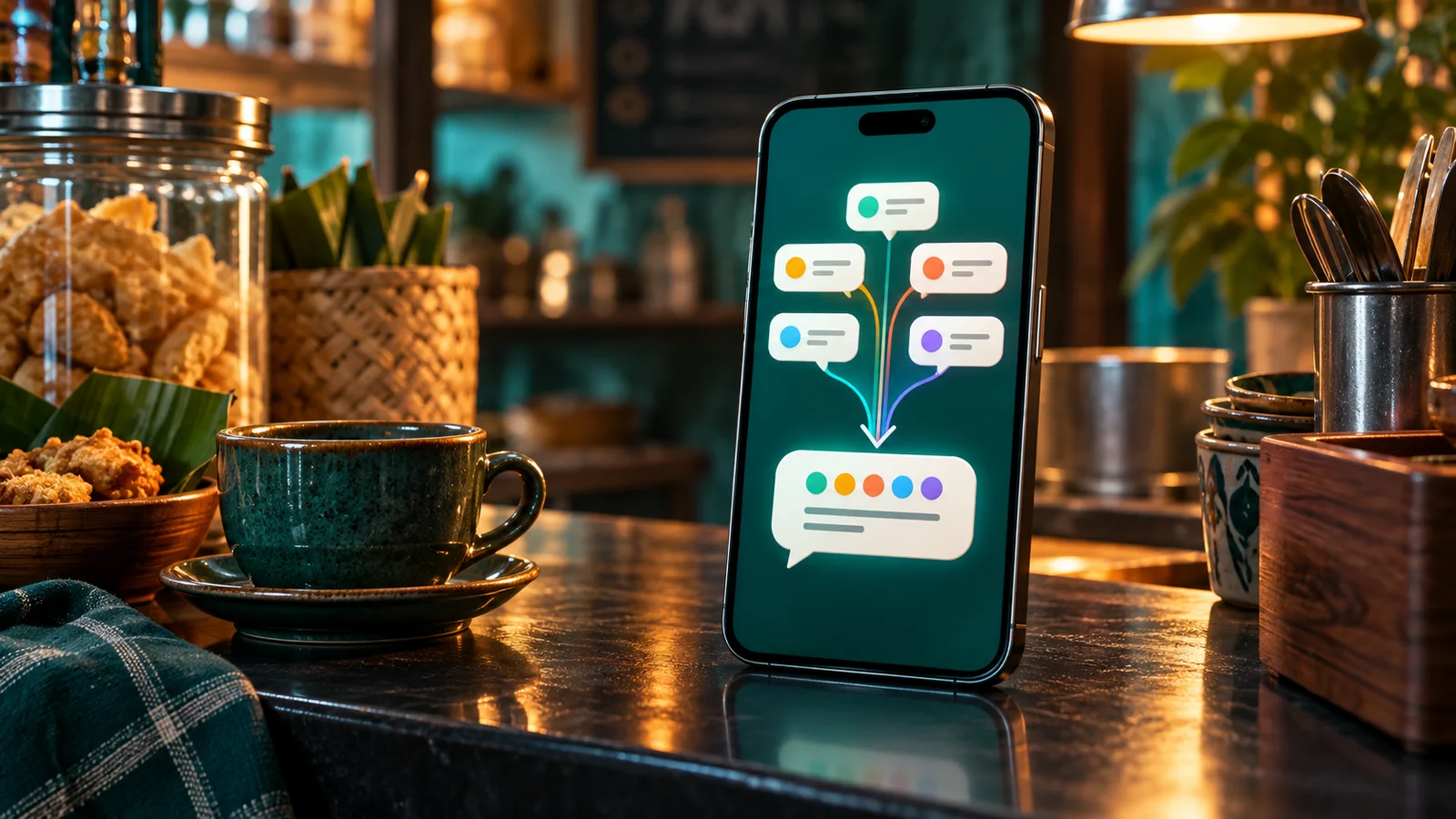
Direct answer: from 1 October 2026, Meta charges every service message above 1,000 per business number per month. The price is Rp356.65 per message to an Indonesian number. Meta counts messages, not characters. So merge the answer that you used to split into 4 or 5 short bubbles into 1 message: a 1 line greeting, the direct answer, details as points with emoji markers, and 1 call to action.
Main condition: this method applies to free-form chat replies (service) on the WhatsApp Business Platform, that is the Cloud APIAPIThe official door 2 systems use to exchange data, without anybody copying it by hand.Open the glossary or a BSP. Limit: messages in a click-to-WhatsAppCTWAA Click-to-WhatsApp ad. It sends people from Facebook or Instagram straight into your WhatsApp conversation.How to track CTWA ads (CTWA) ad window stay free, so the saving is small when almost all chats come from those ads. 1 text message holds at most 4,096 characters.
On 30 September 2026 we read the Meta pricing page (updated 28 September 2026), the IDR rate card effective 1 October 2026, the Cloud API docs for text, image, and button messages, and the WhatsApp Help Center page on message formatting. All chat samples in this article use dummy data.
Why short bubbles are now expensive
Many admins and chatbots split 1 answer into several bubbles. The reason makes sense: the chat feels fast and friendly. Until 30 September 2026, service messages were free, so the bubble count did not change the bill.
From 1 October 2026, every bubble above the free tier is 1 paid message. A 5 bubble answer to 1 question costs Rp1,783.25. The same answer in 1 message costs Rp356.65. The full rate table is in the WhatsApp API price list for October 2026.
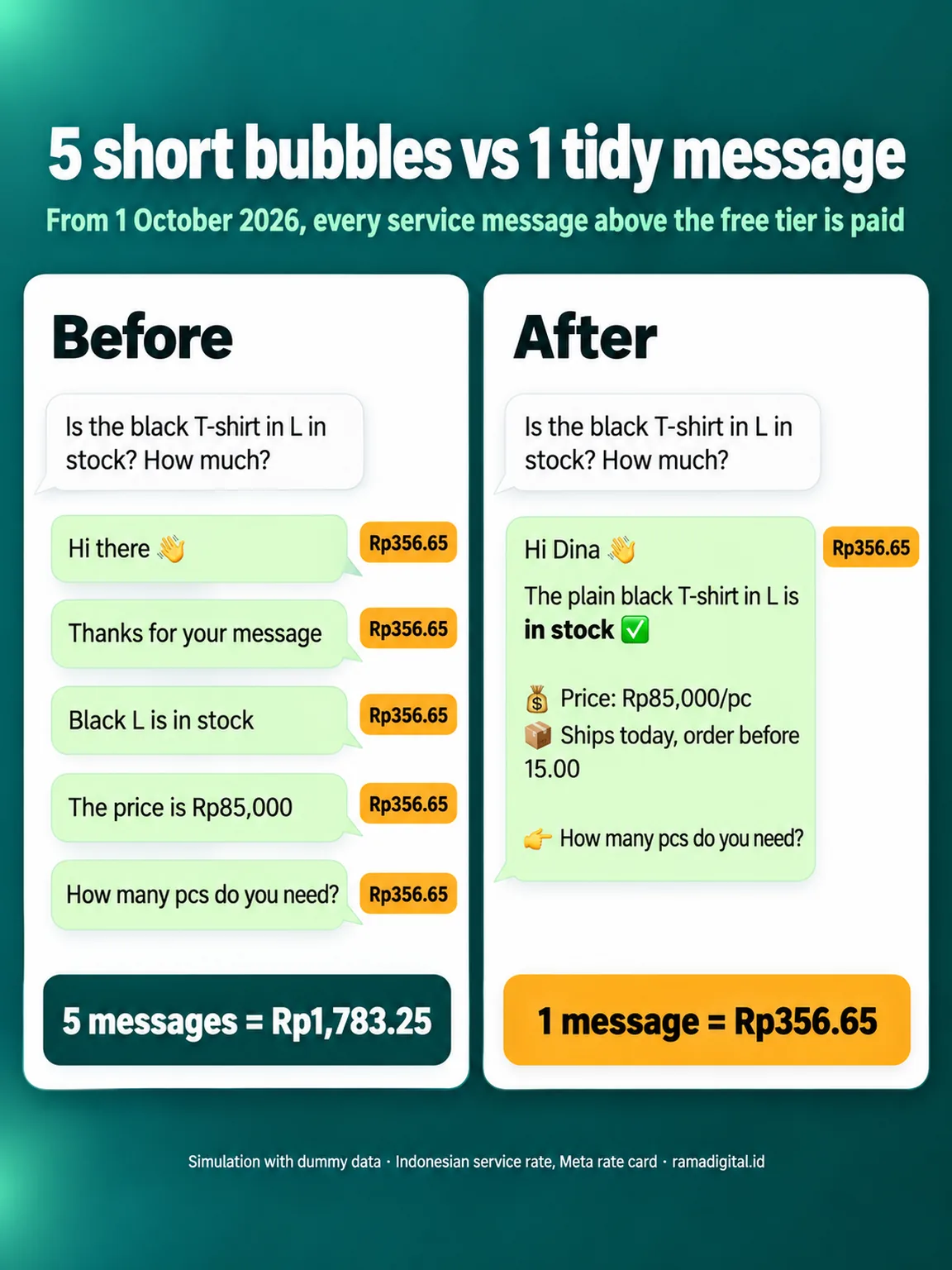
On our number, WhatsApp Manager recorded 1,940 delivered service messages for 1,102 inbound messages from 18 to 24 September 2026. That is 1.76 business messages for each customer message. How to measure this ratio is in the guide to cutting WhatsApp API costs.
How Meta counts paid messages
1 delivered message equals 1 charge
Meta charges per delivered message, based on the message category and the recipient country code. The rate card only lists a price per message, with no text length part. Source: Meta, Pricing on the WhatsApp Business Platform. So an 8 line message and a 1 word message have the same price.
1,000 free service messages per business number
Each business number, that is the sender number, gets 1,000 free service messages per month. Message 1,001 and after cost Rp356.65 each. Inbound messages from customers stay free, and emoji reactions are free too. Other cases are in the answers for 12 paid chat reply cases.
Length limits of 1 message
| Message type | Limit | Source |
|---|---|---|
| Text | 4,096 characters | Cloud API, text messages |
| Image caption | 1,024 characters | Cloud API, image messages |
| Button message body | 1,024 characters, at most 3 buttons, button title 20 characters | Cloud API, reply buttons |
A customer service reply rarely goes past 1,000 characters. So these limits almost never stop 1 tidy message.
Comparison of 3 reply styles
This table compares 3 styles for 1,000 answers that are all above the free tier.
| Reply style | Messages per answer | Cost of 1,000 answers | Ease of reading on a phone |
|---|---|---|---|
| Many short bubbles | 4 to 5 | Rp1,426,600 to Rp1,783,250 | Easy per piece, but notifications arrive in a row |
| 1 long paragraph without formatting | 1 | Rp356,650 | Hard to scan, price and schedule are easy to miss |
| 1 structured message, points and emoji | 1 | Rp356,650 | Easy to scan, 1 line for 1 piece of information |
Rama Digital recommendation: use the third style for all manual and chatbot replies. The second style costs the same, but customers ask again more often, and each repeat question starts a new paid reply.
Prerequisites
- Access to your team inbox or your WhatsApp API chatbot settings.
- A list of the 10 most frequent customer questions.
- The last 20 chats, anonymised.
- 1 Android phone and 1 iPhone to test how messages look.
- Access to quick replies or the chatbot prompt.
Step 1: Count bubbles per question
Open the last 20 chats, then count the business messages for each customer question. Record the 5 most frequent patterns, for example price questions, stock questions, and order status questions. Verify: the average bubbles per question is recorded, for example 3.8.
The pattern with the most bubbles is the first target. Usually the pattern is the same: greeting, thanks, answer, price, then a closing question, each in 1 bubble.
Step 2: Build a 4 part frame
Rewrite each pattern as 1 message with 4 parts, from top to bottom. Each part has 1 job, so the message stays light even when it is longer.
- Greeting and name, 1 line.
- The direct answer, right on the second line.
- Details as points, 1 piece of information and 1 emoji per line.
- 1 call to action on the last line, as a question.
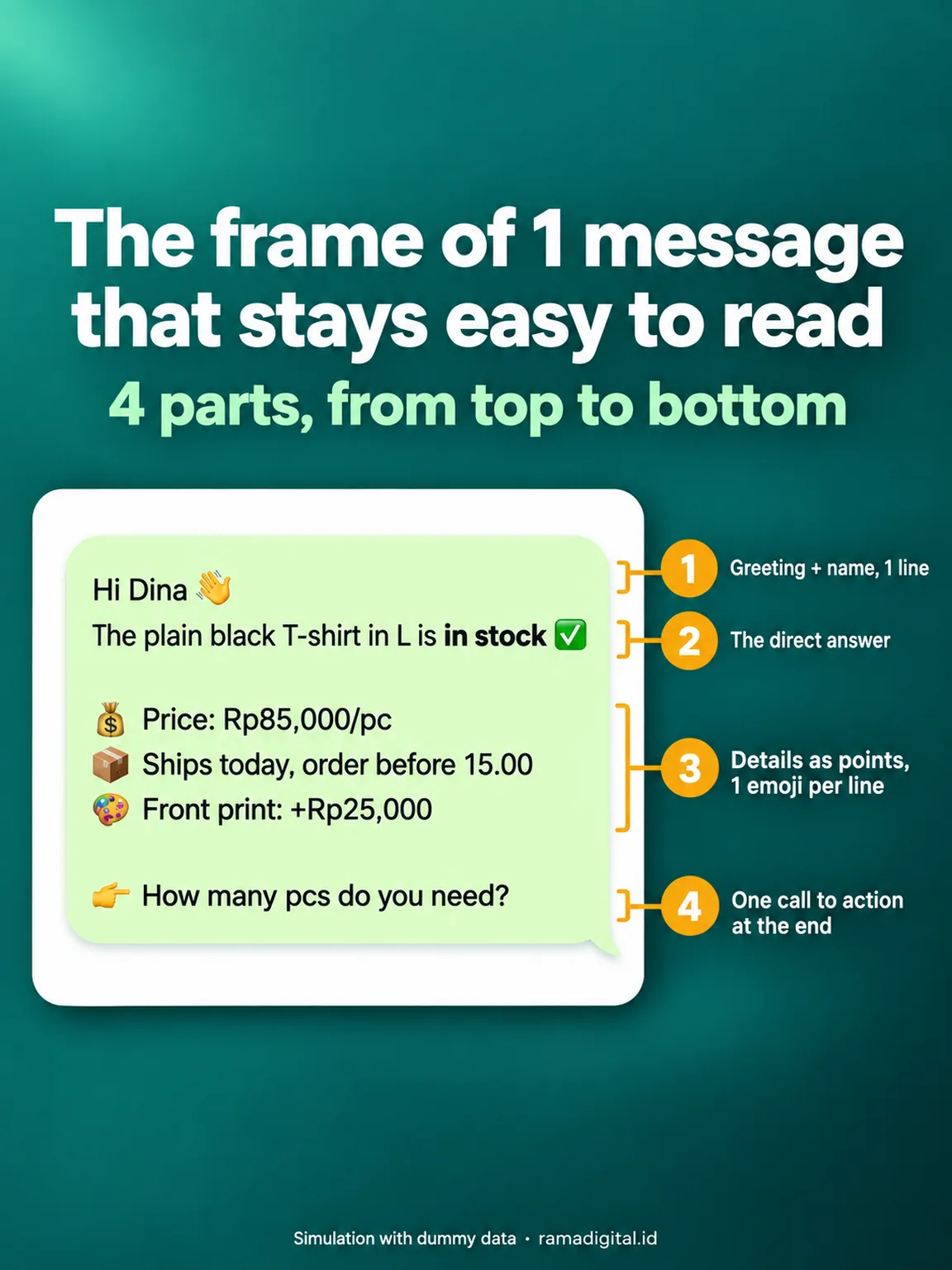
Verify: the new message fits on 1 phone screen without scrolling, and the customer question is answered on the second line.
Step 3: Use WhatsApp formatting for points and emphasis
WhatsApp reads format marks inside the text. According to the WhatsApp Help Center, these marks are available:
*text*for bold._text_for italic.~text~for strikethrough.- textor* textfor a bulleted list.1. textfor a numbered list.> textfor a quote.
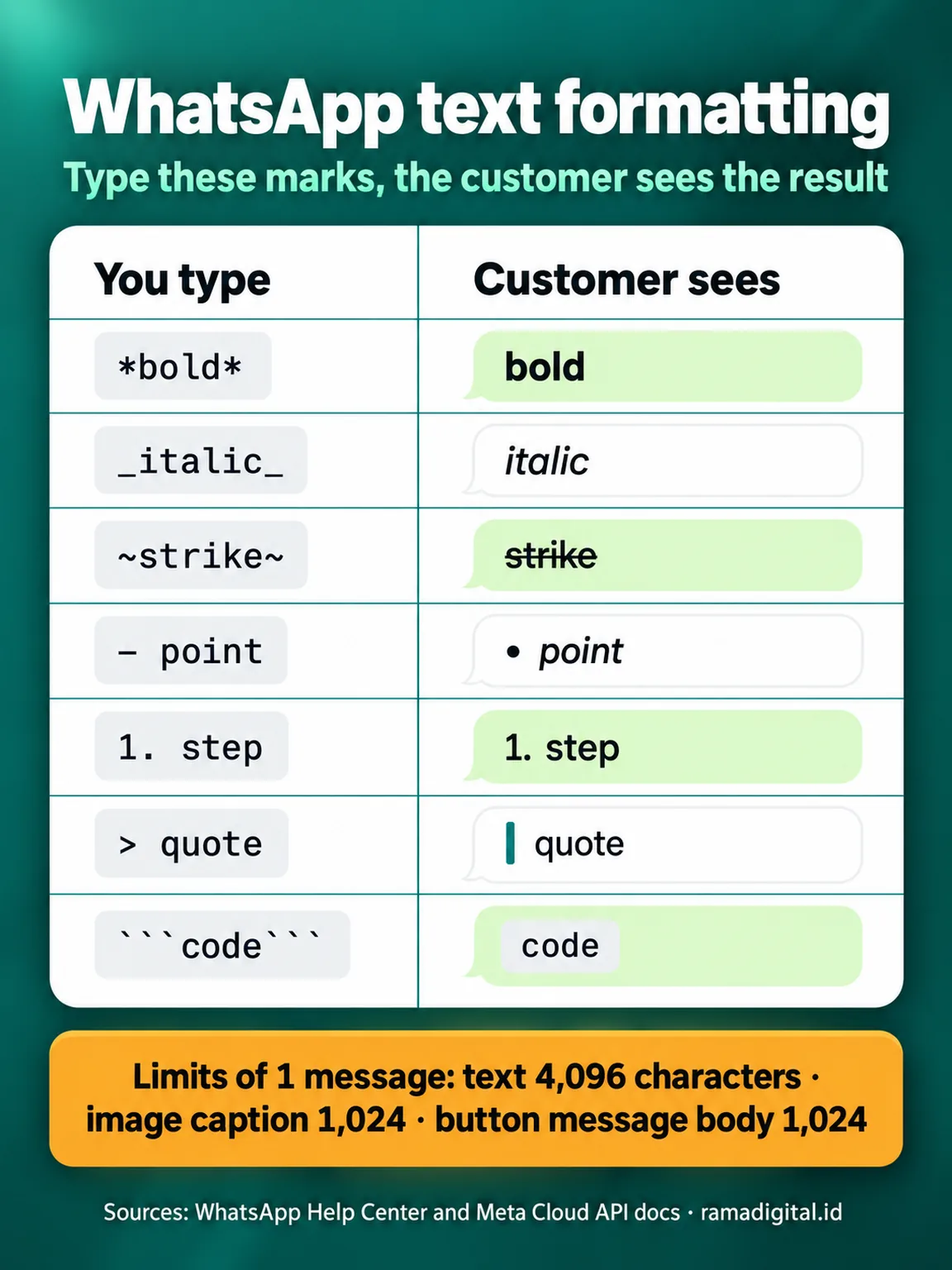
Use bold for only 1 or 2 key words, for example a status or a total. On our number, the AI assistant Wulan sends bold text through the Cloud API. Our code changes **text** from the AI model into *text* before the message goes out.
Verify: send 1 test message to your Android phone and iPhone. Bold text and points show without asterisks.
Step 4: Use emoji as markers, not decoration
Put 1 emoji at the start of each detail line. Use the same meaning in every chat, so customers quickly spot the price, shipping, or schedule line.
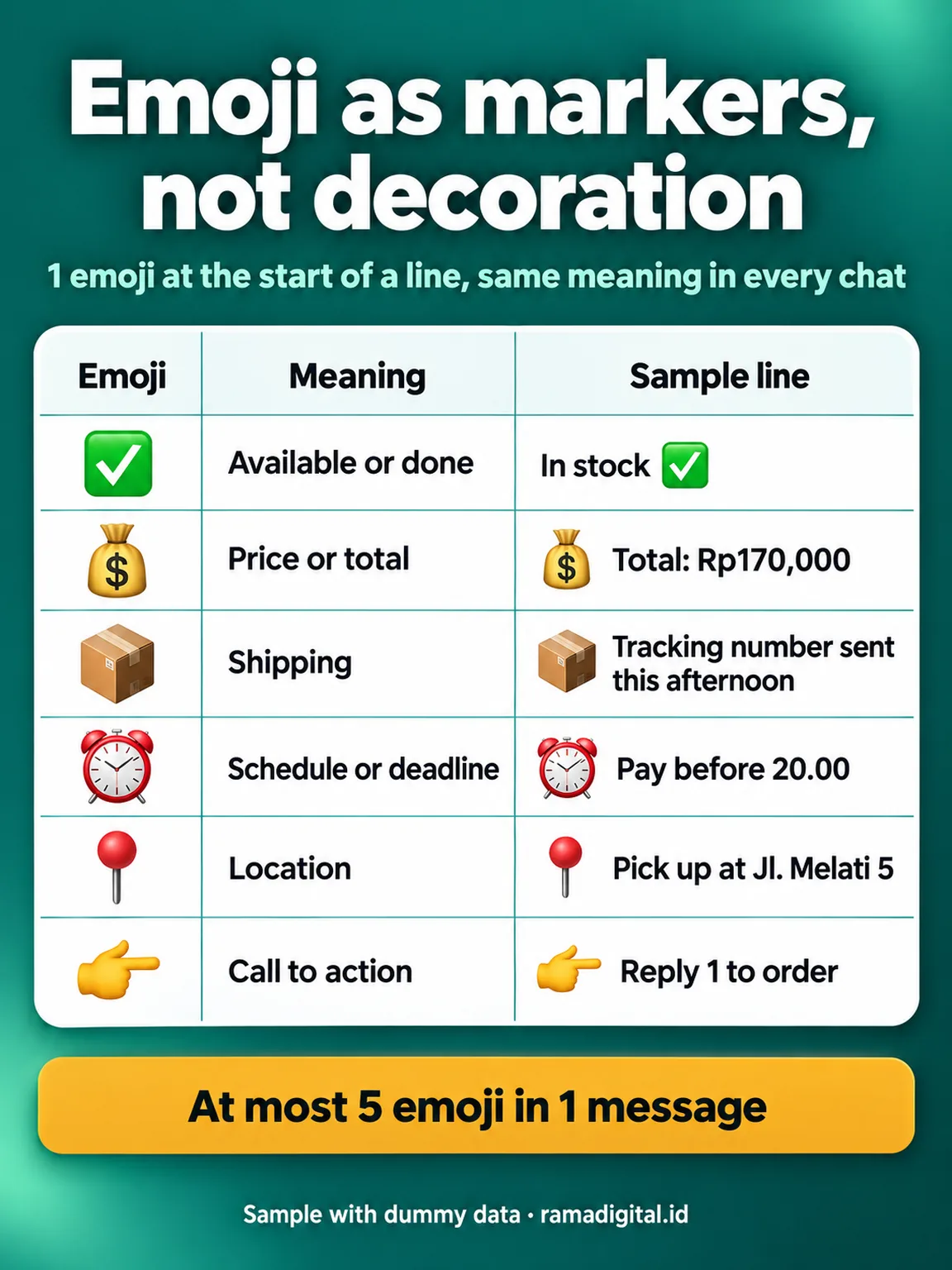
Rama Digital recommendation: use at most 5 emoji in 1 message. Too many emoji make the important lines hard to find. Verify: your 5 reply templates use the same emoji set.
Step 5: Merge image, text, and choices into 1 message
Send a product photo with a caption, not a photo and then a separate text. A caption holds up to 1,024 characters, so 2 messages become 1. Source: Meta, image messages.
For choices, send 1 button message. That message holds a body of up to 1,024 characters and at most 3 buttons. A customer reply through a button is an inbound message, so it is free. Source: Meta, interactive reply buttons.
Verify: in the send log, 1 answer with a photo and choices has only 1 or 2 message IDs.
Step 6: Set the rule in the chatbot and quick replies
Save the new templates as quick replies for admins. For an AI chatbot, add this rule to the prompt:
Answer in 1 message. Structure: a 1 line greeting, the direct answer,
at most 4 points with 1 emoji at the start of each line, then 1 closing question.
Do not split the answer into several messages.
Also check the sender code. We found this pattern in our own chatbot: the sender code split the answer at blank lines into separate bubbles. A correct prompt still produces several messages when that code does not change.
Verify: send 10 test questions, then count the message IDs per answer in the log. The target is 1.
Step 7: Measure again after 7 days
Open WhatsApp Manager › Insights › Message pricing, then divide Service by Messages received for the last 7 days. Compare it with the starting ratio from step 1. Verify: the ratio drops, for example from 1.76 to about 1.1.
Cost simulation and 3 templates to copy
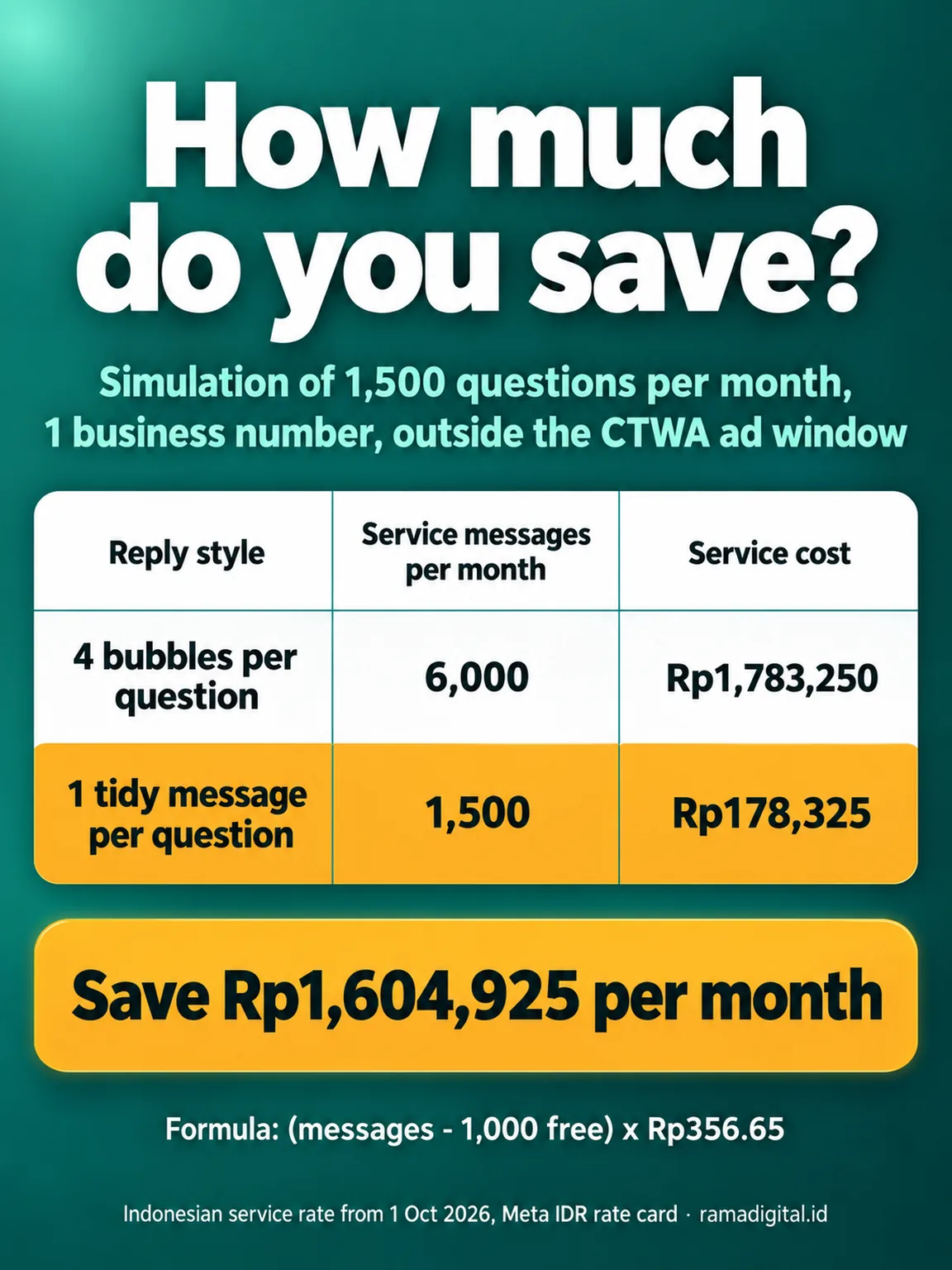
Simulation with dummy data: 1 business number gets 1,500 questions per month, outside the CTWA ad window. The formula: (service messages - 1,000 free) x Rp356.65.
| Reply style | Service messages per month | Math | Cost |
|---|---|---|---|
| 4 bubbles per question | 6,000 | (6,000 - 1,000) x Rp356.65 | Rp1,783,250 |
| 1 tidy message per question | 1,500 | (1,500 - 1,000) x Rp356.65 | Rp178,325 |
| Difference per month | Rp1,604,925 |
Order status template:
Hi Rina 👋
Order #A123 is *shipped* ✅

📦 Courier JNE REG, tracking JN1234567890
⏰ Expected arrival: 3 October

👉 Reply to this chat if the parcel has not arrived.
Payment instruction template:
Thank you, Budi 👋
Your order is *recorded* ✅

💰 Total: Rp170,000
- Transfer to BCA 1234567890 for Toko Contoh
⏰ Pay before 20.00 today

👉 Send a photo of the transfer receipt in this chat.
Store pickup template:
Hi Sari 👋
Your order is *ready for pickup* ✅

📍 Toko Contoh, Jl. Melati 5
⏰ Open 09.00 to 21.00

👉 Show order number #A124 at the cashier.
7 day checklist
- The admin counts the average bubbles per question from 20 chats. Evidence: a dated worksheet.
- The CS lead rewrites 5 reply patterns into the 4 part frame. Evidence: 5 new templates.
- The CS lead sets 1 marker emoji set. Evidence: a table of emoji and meanings.
- The admin tests the templates on Android and iPhone. Evidence: 2 screenshots.
- The developer adds the 1 message rule to the prompt and checks the sender code. Evidence: 10 test answers with 1 message ID each.
- The admin measures the service to inbound ratio after 7 days. Evidence: the before and after numbers.
- Stop criterion: when the ratio stays below 1.2 for 2 weeks, review the templates once per month.
Frequently asked questions
Is a long message more expensive than a short message? No. Meta charges per delivered message. An 8 line message and a 1 word message both cost Rp356.65 after the 1,000 tier runs out.
Do customers read a longer message? A structured message is easier to read than 5 notifications in a row. Keep the message on 1 phone screen, and put the direct answer on the second line.
Do bold text and points show on every phone? The WhatsApp Help Center lists the format marks for Android, iOS, and Web. Test the templates on your own phones before the team uses them.
Does a button message count as 1 message? Yes. 1 button message with at most 3 buttons is 1 message. A customer reply through a button is an inbound message, so it is free.
Do chats from CTWA ads also need merged replies? Messages in a CTWA ad window are free for up to 7 days. Still use 1 tidy message, because the window ends and customers read a tidy message faster.
Does the WhatsApp Business app on a phone use these rates? No. These per message rates apply to the WhatsApp Business Platform, that is the Cloud API and BSPs. The WhatsApp Business app on a phone does not use this rate card.
Next step
Limits that still apply: this method does not cut the cost of marketing or utility templates, and the saving is small when most of your chats come from CTWA ads. For other methods, read 7 ways to cut WhatsApp API costs and the guide to calculating WhatsApp API costs.
When your AI chatbot still splits answers into many messages, see WhatsApp AI Chatbot Optimization. To talk about your chat flow first, book a 30 minute Initial Consultation.
Sources
- Meta for Developers: Pricing on the WhatsApp Business Platform, updated 28 September 2026.
- Meta for Developers: Rate cards effective October 1, 2026, read on 30 September 2026.
- Meta for Developers: Text messages, read on 30 September 2026.
- Meta for Developers: Image messages, read on 30 September 2026.
- Meta for Developers: Interactive reply buttons messages, read on 30 September 2026.
- WhatsApp Help Center: How to format your messages, read on 30 September 2026.