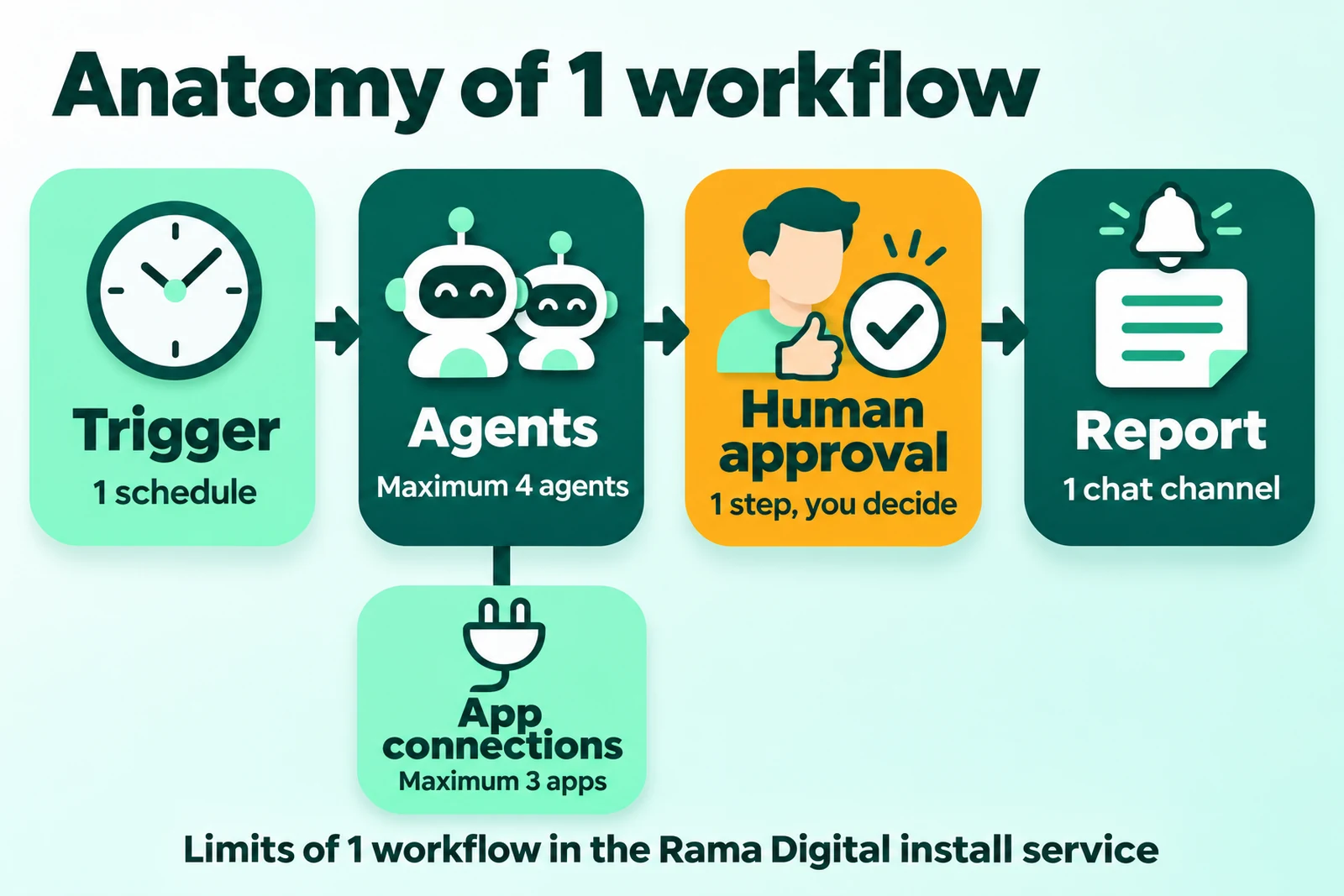
Direct answer: 1 OpenBot workflow has 5 parts: a trigger, agents, app connections, a human approval, and a report. The trigger starts the work on a schedule, the agents do the tasks, and you approve the risky step. The agents then send the result to 1 chat channel of your team.
Limit of this article: The 5 workflows in this article are example designs, not case studies. We do not write results, savings, or client names. The OpenBot feature facts come from official OpenBot pages, read 16 November 2026.
The Rama Digital team uses AI agentAI agentAn AI program that performs work steps by itself, for example reading a message, drafting a reply, and recording the result.Open the glossary workflows every day for its own work. This article applies the same pattern to small businesses. If you do not know the product yet, read what OpenBot is first.
What does 1 OpenBot workflow contain?
1 OpenBot workflow combines agents, AI models, and approval steps in 1 multi-step process. OpenBot writes: "Combine agents, models and approval steps into clear, multi-step workflows." (OpenBot home page, read 16 November 2026).
The example on the OpenBot home page uses the trigger "Every Monday at 9:00", 4 agents, and then the approval step "Post the report?" (OpenBot home page, read 16 November 2026). The 5 designs in this article use the same pattern.
| Part | Function | OpenBot feature | Our service limit |
|---|---|---|---|
| Trigger | Starts the workflow at a set time | A routine starts agents on a schedule (OpenBot comparison page) | 1 trigger |
| Agents | Do the tasks | Each agent has its own name, instructions, and workspace. Agents send messages to each other, hand off tasks, and share files (OpenBot home page) | Maximum 4 agents |
| App connections | Give the agents access to data | Plugins, for example Notion and Canva, and the built-in browser (OpenBot home page) | Maximum 3 app connections |
| Human approval | Holds a risky step until you agree | An approval step inside the workflow (OpenBot home page) | 1 approval step |
| Report | Sends the result to the team | A routine can send results to Slack, Discord, and Telegram (OpenBot comparison page) | 1 report channel |
The trigger in these 5 designs is always a schedule. The OpenBot page that we read describes only schedules for routines (OpenBot comparison page, read 16 November 2026). Thus we do not write other trigger types.
5 OpenBot workflow examples for a small business
The 5 designs below use a fixed format: trigger, agents, app connections, approval, report, and risk. Each design stays inside the limits of our service. Change the times, agent names, and apps to fit your business.
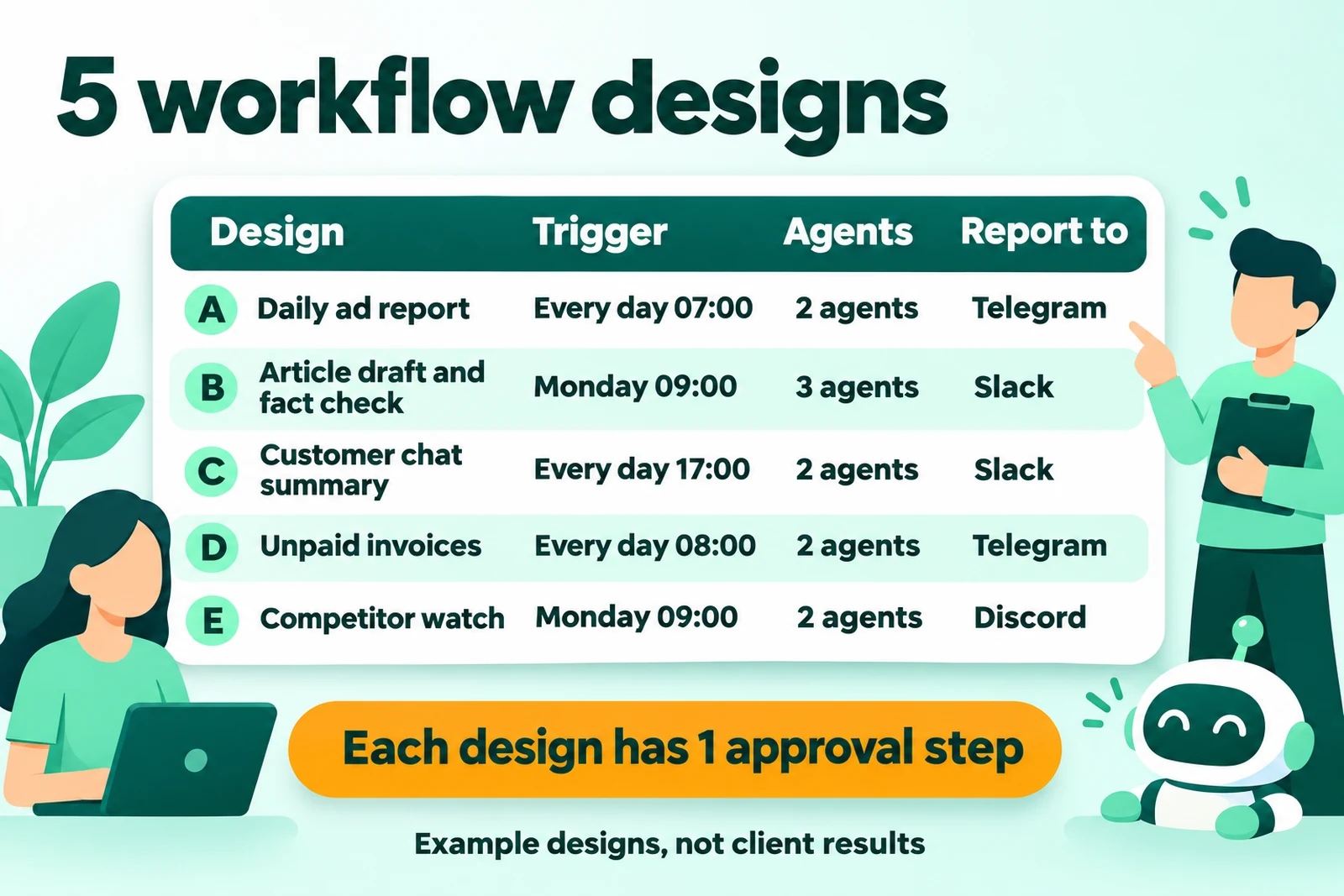
A. Daily ad report
This design fits a business that runs paid ads every day. The owner wants yesterday’s numbers without a daily visit to the ad dashboard.
- Trigger: every day at 07:00.
- Agent 1, data collector: opens the ad dashboard in the built-in browser. It copies yesterday’s cost, clicks, and incoming chats to a spreadsheet.
- Agent 2, report writer: compares those numbers with the target. It writes a 5-line summary and lists the ads above the cost limit.
- App connections (2): the ad account and the target spreadsheet.
- Approval: the agent asks "Pause this ad?". The agent pauses an ad only after you agree. The agent does not increase the budget.
- Report: Telegram, every morning.
- Risk: dashboard numbers can change after collection. Write the collection time in the report.
The ad account login can stay in the OpenBot Vault, which keeps logins encrypted on your own computer (OpenBot comparison page, read 16 November 2026).
B. Article draft and fact check
This design fits a business that writes blog articles every week. A separate agent does the fact check, not the writer.
- Trigger: every Monday at 09:00.
- Agent 1, researcher: takes 1 topic from the list and collects sources with URL and read date.
- Agent 2, writer: writes a draft from the research notes.
- Agent 3, fact checker: compares each number and name with the sources and marks each sentence with no source.
- App connections (1): Notion for the topic list and the drafts.
- Approval: an editor reads the draft and the marked sentences. The draft enters the publish queue only after the editor agrees. The agents do not publish.
- Report: Slack, with the draft title, source count, and marked sentence count.
- Risk: a source can be old or wrong. The checker only compares the draft with the sources, so the editor still opens the primary sources.
Notion is on the OpenBot plugin list (OpenBot home page, read 16 November 2026). OpenBot also lets you choose the provider and model for each agent (OpenBot comparison page, read 16 November 2026). Thus the writer and the checker can use different models.
C. Customer chat summary and follow-up list
This design fits a business that gets many customer questions and sometimes forgets to reply. The agents read and group the messages. The staff keep control of each reply.
- Trigger: every day at 17:00.
- Agent 1, reader: reads the customer messages of the day from the email inbox and the contact form spreadsheet.
- Agent 2, organizer: groups the messages by topic, for example price, orders, and complaints. It then writes a follow-up list and draft replies.
- App connections (2): the email inbox and the form spreadsheet.
- Approval: a staff member reads each draft reply. A reply goes out only after approval.
- Report: Slack, with the message count per topic and the follow-up list with staff names.
- Risk: customer messages contain personal data, and the AI provider receives the agent prompts. Send only the data that the task needs.
Conversations stay on the computer that runs OpenBot, but the AI provider receives the prompts (OpenBot home page, read 16 November 2026). If your customer chats are in WhatsApp, first check how to get that data. The OpenBot comparison page names only Slack, Discord, and Telegram (OpenBot comparison page, read 16 November 2026).
D. Unpaid invoice check
This design fits a business that collects invoice payments by hand. The agents find overdue invoices and prepare reminders.
- Trigger: every day at 08:00.
- Agent 1, checker: compares the invoice list with the latest payment statement file, which an admin puts in a shared folder.
- Agent 2, reminder writer: writes a draft reminder email for each overdue invoice, with its number, amount, and due date.
- App connections (3): the invoice spreadsheet, the statement folder, and email.
- Approval: the owner reads the reminder list. The emails go out only after approval.
- Report: Telegram, with the overdue invoice count, their total value, and the count of reminders sent.
- Risk: a customer who already paid can get a reminder if the statement file is old. Agent 1 writes the file date in the report.
The agents in this design do not open a bank account and do not move money. They only read the file from the admin.
E. Weekly competitor watch
This design fits a business that wants to know the price and promotion changes of its competitors. The owner does not open each site.
- Trigger: every Monday at 09:00.
- Agent 1, watcher: opens the public competitor pages in the built-in browser and records prices, promotions, and new products.
- Agent 2, analyst: compares this week’s notes with last week’s notes and writes the 3 most important changes.
- App connections (1): a spreadsheet with the competitor list and the weekly notes.
- Approval: the agent asks "Send the report to the team?". The owner reads the report first.
- Report: Discord.
- Risk: a site layout can change, so the agent can read a price incorrectly. Open only public pages. Do not log in to accounts of other parties.
How to choose your first workflow
Choose your first workflow with 3 conditions: the work repeats, the rules are clear, and 1 error is not expensive. Such work lets your team learn at a low risk.
- The work repeats. The work occurs every day or every week. Work that occurs 1 time each year does not need a workflow.
- The rules are clear. You can write the steps for a new staff member. If you cannot write them, an agent cannot follow them.
- 1 error is not expensive. You can find and correct an agent error before it affects a customer or money.
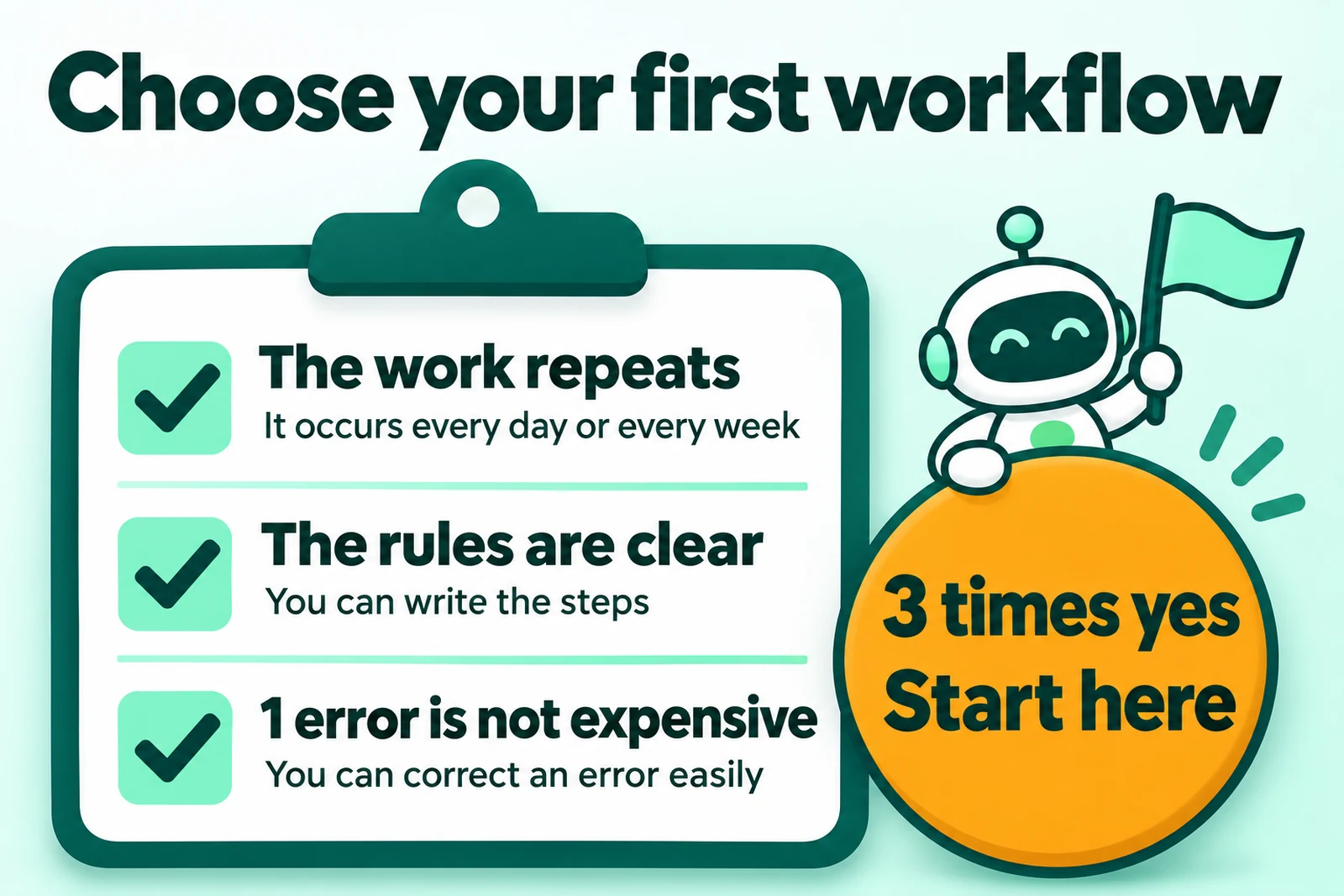
Of the 5 designs, the daily ad report and the competitor watch are the easiest to start. Both read data and send nothing to customers. The invoice check and the chat summary need stricter approval rules, because both touch customers.
Run your first workflow in draft mode for 5 work days. Count the correct reports and the wrong reports. Correct the agent instructions before you turn on the send step.
Work that an agent must not do without approval
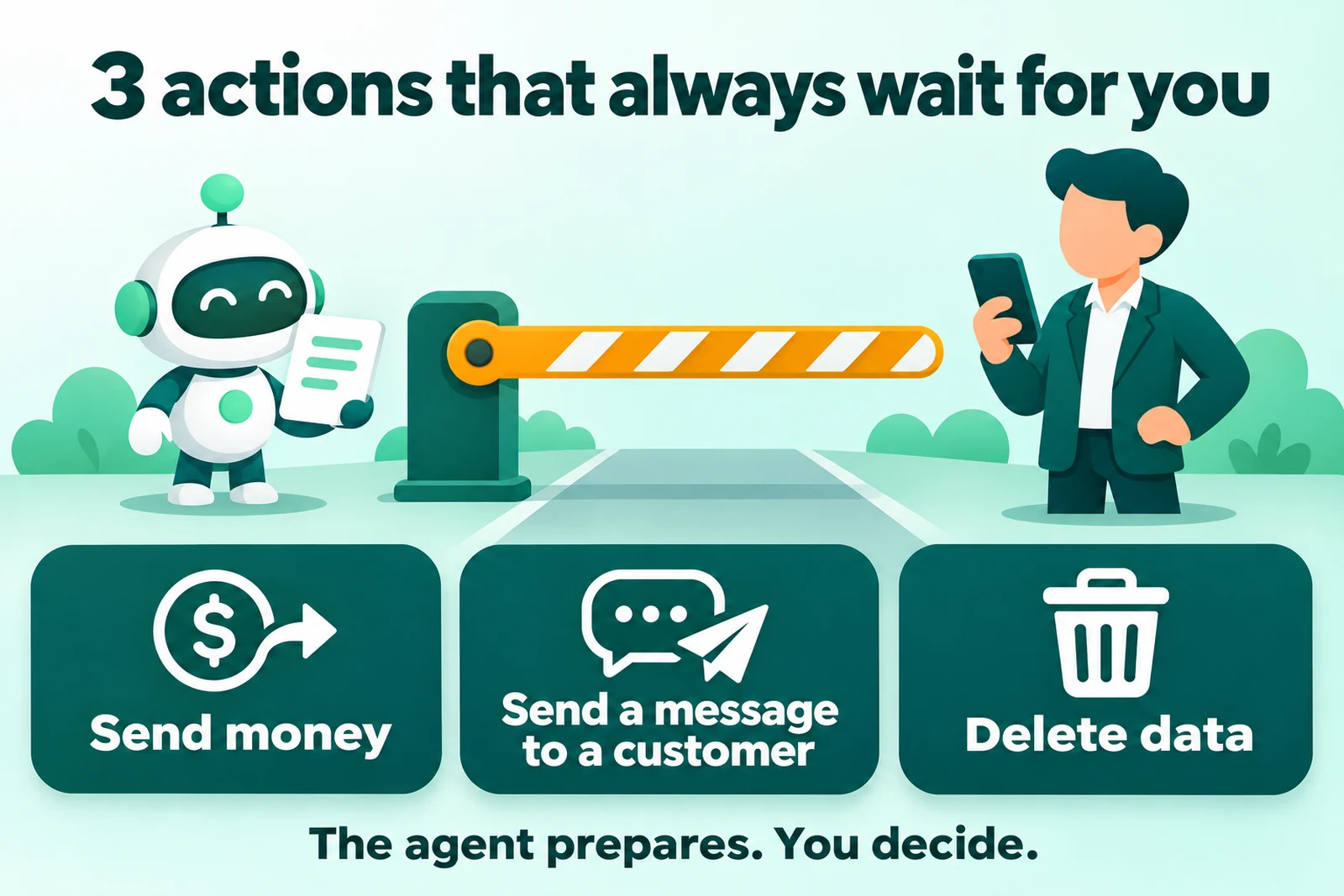
3 actions always need human approval: send money, send a message to a customer, and delete data. All 3 are difficult or impossible to undo.
- Send money. An agent cannot pull back a payment that is sent. The OpenBot Vault shows the agent only the card name and the last 4 digits (OpenBot comparison page, read 16 November 2026). Still put an approval step before each payment.
- Send a message to a customer. A wrong message reaches the customer, and you cannot pull it back. The agent writes a draft, and then a person approves it.
- Delete data. Deleted data is lost if you have no backup. Make a backup before an agent touches important data.
OpenBot itself writes about this risk in its official FAQ. Agents can change files, run commands, use the network, and control the built-in browser without a question each time (OpenBot home page, read 16 November 2026). OpenBot tells you to give agents only tasks that you trust, and to keep backups.
Costs and licence before you start
1 workflow has 3 costs outside the install service: the OpenBot work licence, a server, and an AI subscription. The client pays each provider directly.
- Work licence. OpenBot is free only for personal and noncommercial use, and a business needs a work licence (OpenBot FAQ, read 16 November 2026). The Starter licence is €10 each month for 1 member. Licences are free until 1 December 2026 (OpenBot pricing, read 16 November 2026). AI agents do not count as seats (OpenBot commercial licence clause 1.6, read 16 November 2026).
- Server. A scheduled workflow needs a computer or a server that stays on. Agents stop when the computer is off, unless OpenBot runs on a server that stays on (OpenBot comparison page, read 16 November 2026).
- AI subscription. OpenBot adds no charge of its own. You pay the AI provider through your own plan or APIAPIThe official door 2 systems use to exchange data, without anybody copying it by hand.Open the glossary key (OpenBot comparison page, read 16 November 2026).
The Rama Digital install service: Rp 5,000,000 for each workflow, a fixed price, done in 3–5 work days. That price does not include the server, the OpenBot work licence, or the AI subscription. The details are in OpenBot costs for a business.
If you want to install it yourself, follow how to install OpenBot on a VPS. If you still compare products, read OpenBot vs Grok Bot and AI assistant vs AI worker.
Questions and answers
What is a workflow in OpenBot?
A workflow is a process with more than 1 step that combines agents, AI models, and approval steps. The official example on the OpenBot home page uses a schedule every Monday at 09:00, 4 agents, and 1 approval step.
How many agents can 1 workflow contain?
In the Rama Digital install service, 1 workflow contains a maximum of 4 agents and a maximum of 3 app connections. This limit belongs to our service, not to OpenBot.
Are these 5 workflow examples results of client projects?
No. The 5 workflows in this article are example designs. This article contains no results, no savings, and no client names.
Can an OpenBot agent reply to customer chats in WhatsApp?
The OpenBot comparison page names only Slack, Discord, and Telegram as chat apps, read 16 November 2026. Check how to get WhatsApp data before you design a workflow for customer chats.
Can an agent send money without approval?
Do not let it. Put an approval step before each payment, each message to a customer, and each deletion of data. These 3 actions are difficult or impossible to undo.
Does the workflow continue when my laptop is off?
No, if OpenBot runs on that laptop. The OpenBot comparison page says that agents stop when the computer is off, unless OpenBot runs on a server that stays on.
Which workflow should I start first?
Start with a workflow that only reads data, for example the daily ad report or the competitor watch. These 2 workflows send nothing to customers.
Next step
Write down 1 job that repeats, its data source, and the actions that need approval. Bring that note when you order an install.
Rama Digital installs 1 OpenBot workflow on your server with the OpenBot install service. Rama Digital is an independent installer and is not part of OpenBot.
Sources
- OpenBot, home page and FAQ. Read 16 November 2026.
- OpenBot vs Grok Bot, a comparison page by OpenBot. Read 16 November 2026.
- OpenBot pricing. Read 16 November 2026.
- OpenBot Commercial License Agreement, updated 29 October 2026. Read 16 November 2026.